Suggested scene brief
Shoot a close-up perfume campaign with a hand holding a square amber glass bottle, a black spherical cap, and golden side light. Keep the bottle the focal point against a warm neutral set.
Use this prompt in Studio ↗ Aimagi
A hand holds a glowing amber perfume bottle in soft directional light. Recreate this product scene in Aimagi and keep the exact product consistent across every shot.
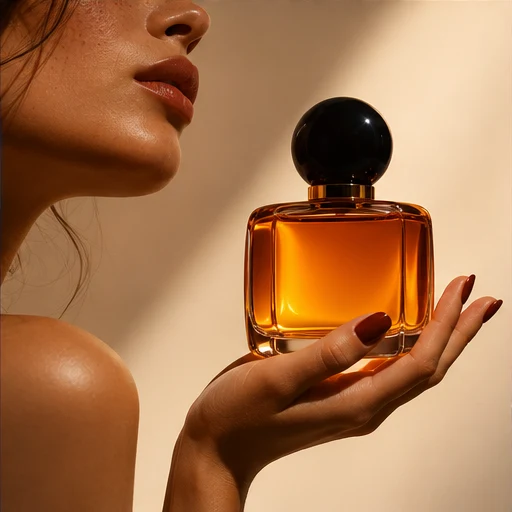
A hand holds a glowing amber perfume bottle in soft directional light. This example is part of Aimagi's AI product photo library. Open the Studio with the suggested prompt, then reuse the result as a reference to generate lighting and framing variations of the same product.
Shoot a close-up perfume campaign with a hand holding a square amber glass bottle, a black spherical cap, and golden side light. Keep the bottle the focal point against a warm neutral set.
Use this prompt in Studio ↗Open the Studio, start with one product image and use this brief: Shoot a close-up perfume campaign with a hand holding a square amber glass bottle, a black spherical cap, and golden side light. Keep the bottle the focal point against a warm neutral set. Then reuse the result as a reference to change lighting, set and framing.
Yes. Aimagi preserves the product silhouette, materials and details across turns. Reuse a generated result as a reference in the next generation while you change the lighting, set or aspect ratio.